Free & open source
Animated menu for WordPress
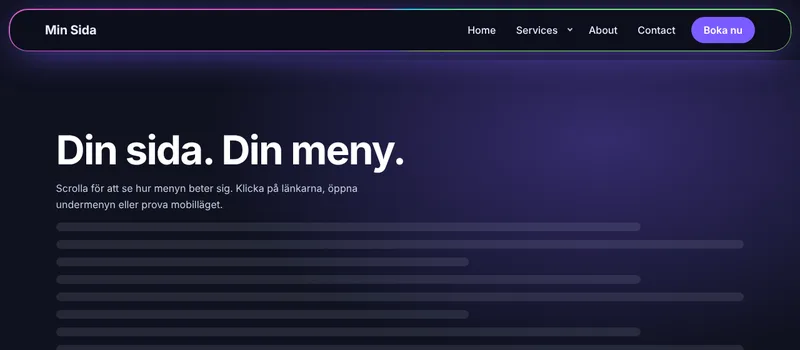
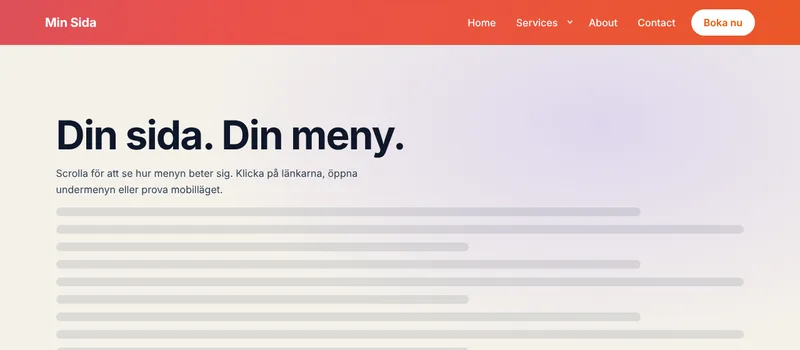
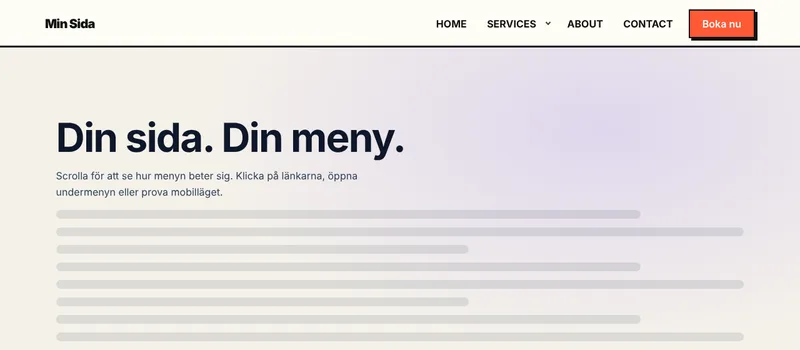
A modern, animated header menu that works with any theme, Divi included. Pick a template, pick colours, done. No tracking, no external requests, no subscription.
Version 0.3.0 · zip file · GPL
Try it here, for real
This is the plugin’s own code running in the page. Pick a template and colour style, scroll and click around.
25 templates, one setting
Each template sets the right values for you. To fine-tune, change colours, height, hover effect and the mobile menu.
What you get
Works with any theme
It draws its own bar and hides the theme header with CSS. Works with classic themes, block themes and Divi.
Full colour control
Fourteen ready-made styles in one click, then colour pickers for everything. Your own logo and an optional button.
Smart behaviour
Hides when you scroll down and returns when you scroll up. Shrinks and gets a shadow after scrolling.
A proper mobile menu
Circle reveal, curtain, fullscreen or side panel. Submenus, keyboard navigation and reduced motion are supported.
Uses your menus
Takes links from Appearance → Menus and inherits your theme’s font.
Fast and private
A little CSS and JavaScript with no libraries. No cookies, no tracking, no external requests.
Animation everywhere
Entrance animations, hover effects, animated borders, a light that follows the cursor and magnetic links.
Small and big menus
From a tiny label or a single round button to tall bars, sidebars and mega panels.
Your code, your rules
Open source under the GPL. Change it, share it and use it on client sites for free.
Get started
- Download the zip file above.
- In WordPress: Plugins → Add New → Upload Plugin, choose the file and activate.
- Go to Settings → Niemi Animated Menu, tick Enable, pick a template and colour style. Save.
Frequently asked questions
Is it really free?
Yes, the plugin is free and licensed under the GPL. Use it on as many sites as you like, including client sites.
Does it work with Divi?
Yes. Divi’s header is hidden automatically and the page spacing is corrected. The menu is turned off inside the Visual Builder.
My old menu is still showing. What now?
Right-click it, choose Inspect and add its id or class under Fine-tune → Theme header selectors to hide.
Will there be more free tools?
Yes. A matching footer plugin is next. Get in touch if you miss something.
Built by Emil Niemi in Luleå, Sweden. Written with AI assistance, reviewed and tested by me.
Want a whole site in the same style?
I build websites and web tools. The quote and first chat are always free.
Contact me